

Find Studio for business
A salon that books itself
Clients find you in the app and book at any time of day. You see every booking in the calendar - in the browser and on your phone.
Nothing to install: the dashboard runs in the browser.

Before and after
Where salons lose clients - and how to fix it
-
01
Unanswered calls
The master is with a client and the admin is on another line. Whoever can't get through books at the salon next door.
With Find Studio:Clients book themselves in the app, around the clock. No call needed.
-
02
Bookings in a notebook
A notebook, WhatsApp, the admin's memory. The result: double bookings, mix-ups and “but I booked for three”.
With Find Studio:One calendar for every booking: from the app, by phone and walk-ins.
-
03
No-shows
A client forgets the visit, and that time can't be sold to anyone else.
With Find Studio:Confirmation, a reminder before the visit and your own cancellation rules.
-
04
Clients can't find you
New clients look for a salon on their phone: what's nearby, how much it costs and when there's a free slot.
With Find Studio:Your salon in the app’s catalog, search and map - with prices and free time.
Salon dashboard
Everything your salon runs on - in one dashboard
Runs in the browser on a computer or tablet - nothing to install.
-
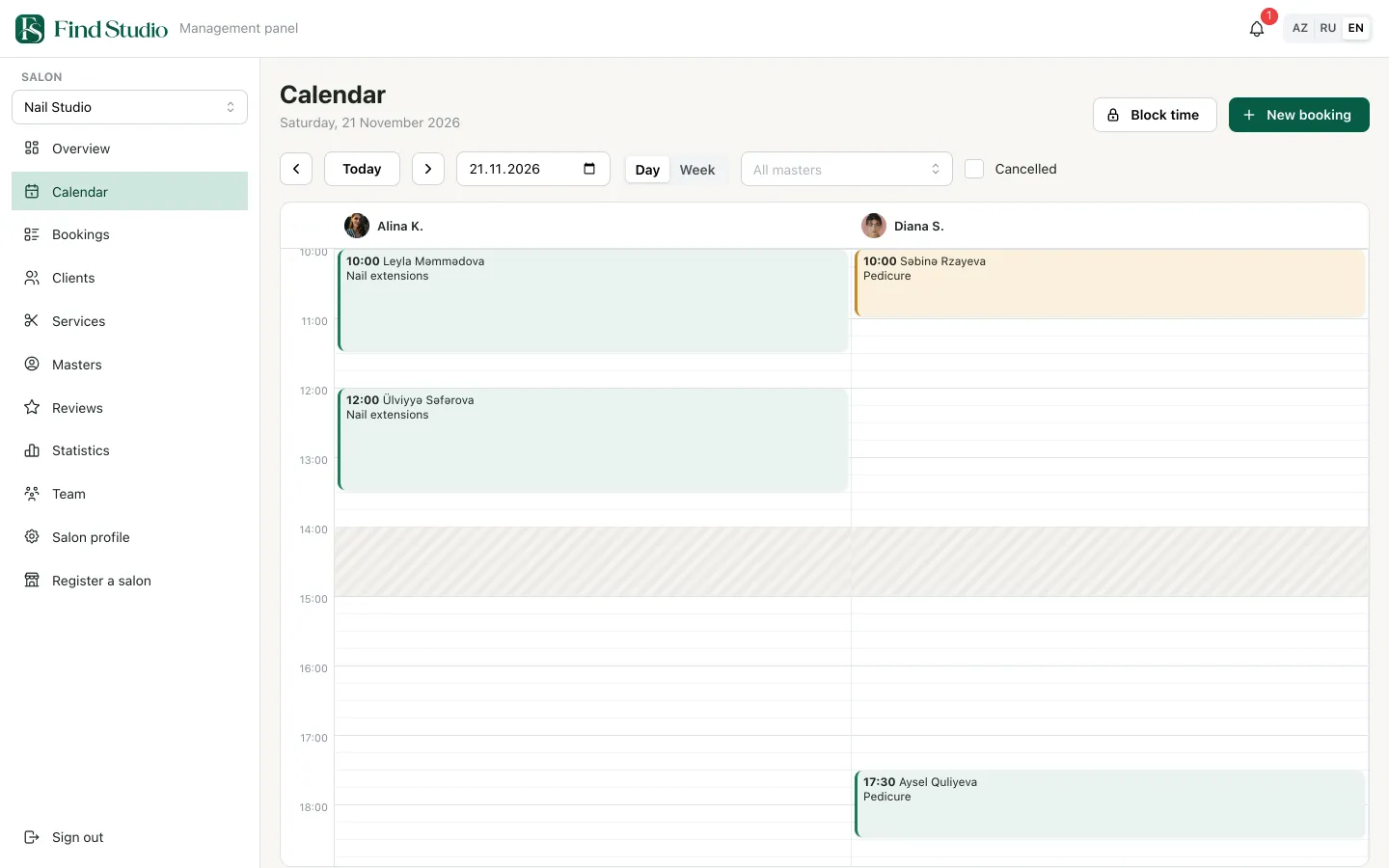
Calendar
Bookings from the app appear instantly. A day across all masters or one master's week. Lunch breaks and days off are marked, so nobody can book them.
- “New booking” and “Block time” buttons
- Show or hide cancelled bookings
-
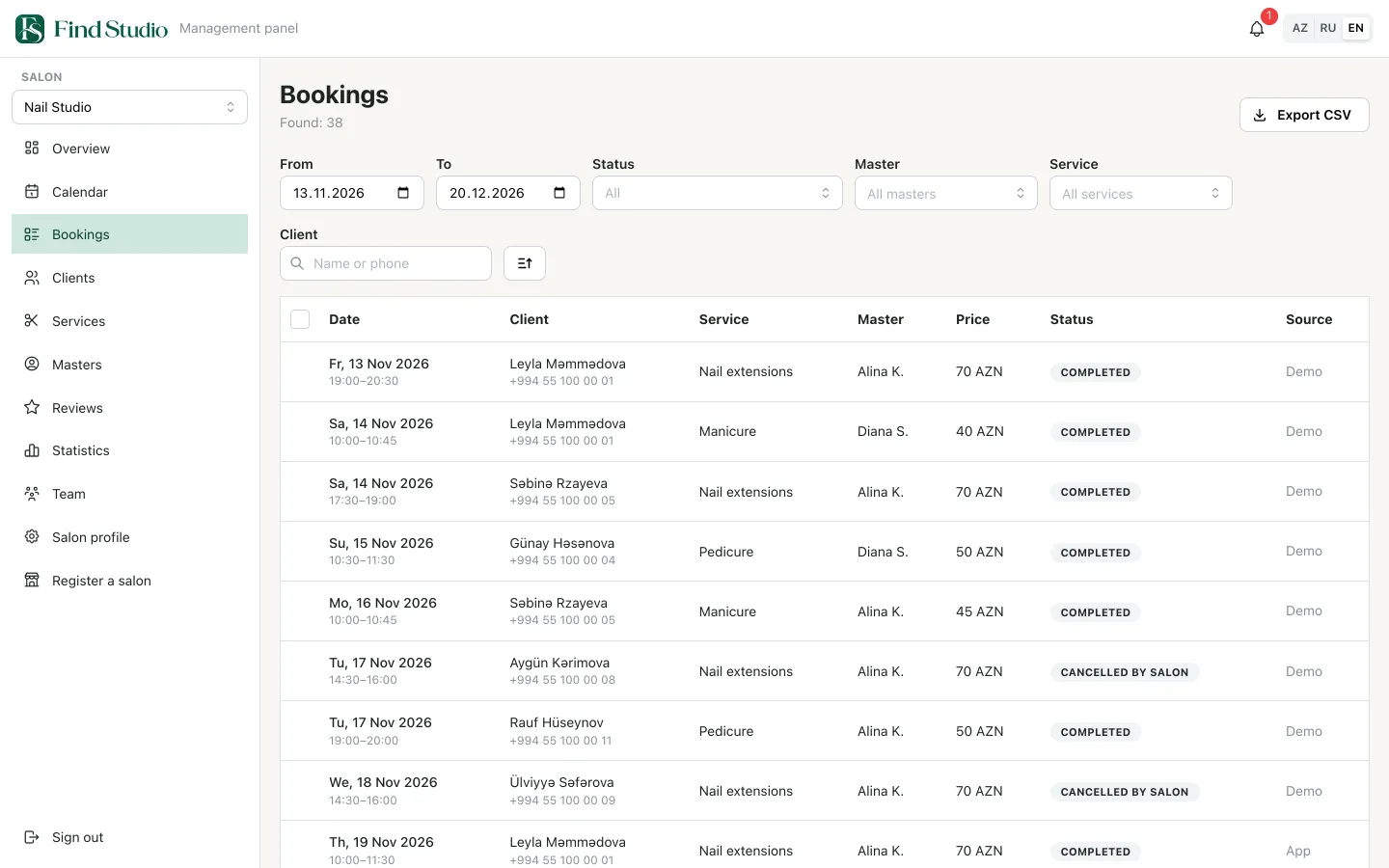
Bookings
Every booking with filters by date, status, master and service. Client search and CSV export.
- Filters: dates, status, master, service, client
- See where each booking came from: the app or the salon
-
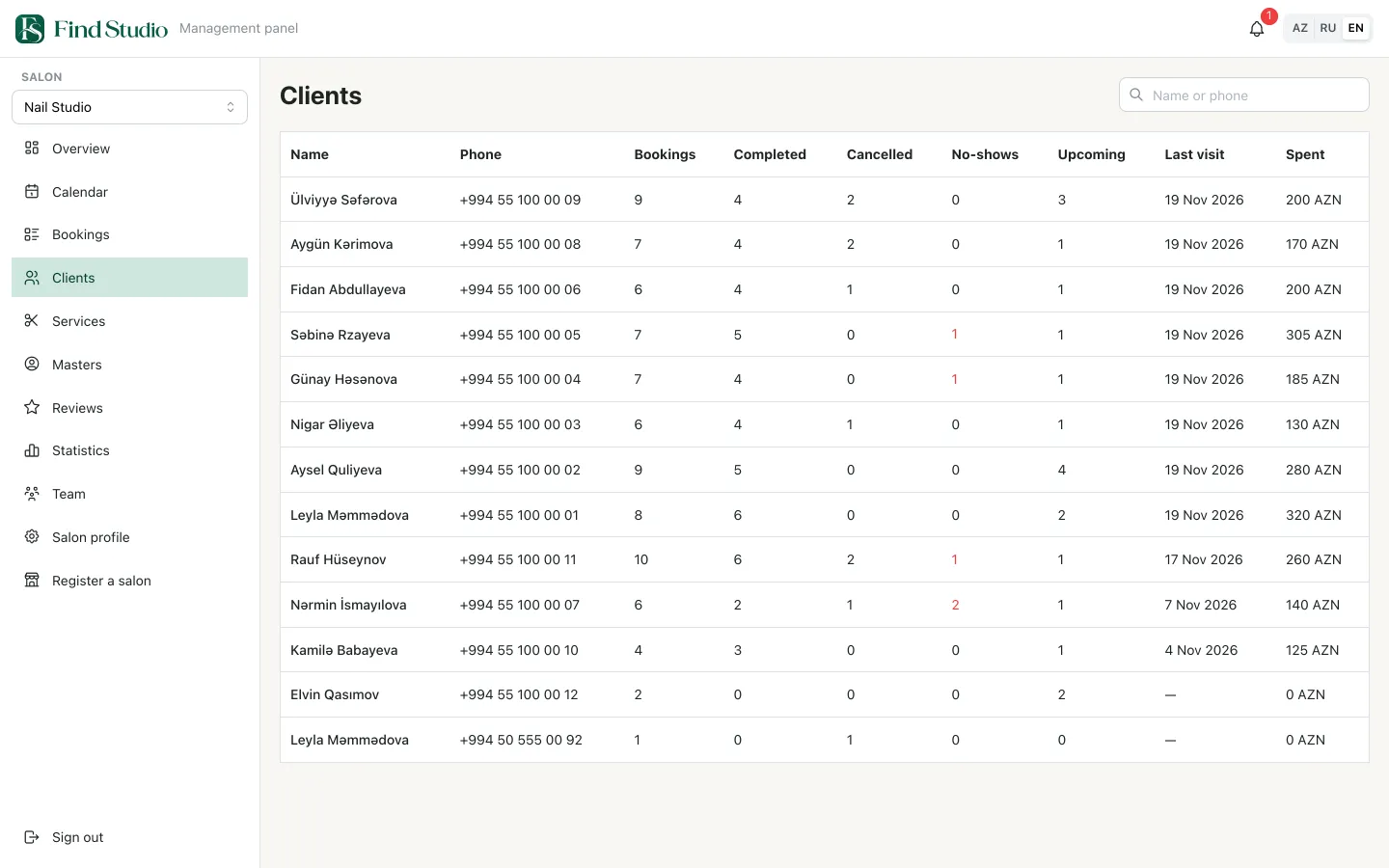
Client cards
Visit history, no-shows and how much each client has spent. Salon notes are visible only to your staff.
- How often each client came, cancelled or didn’t show
- Search by name or phone
-
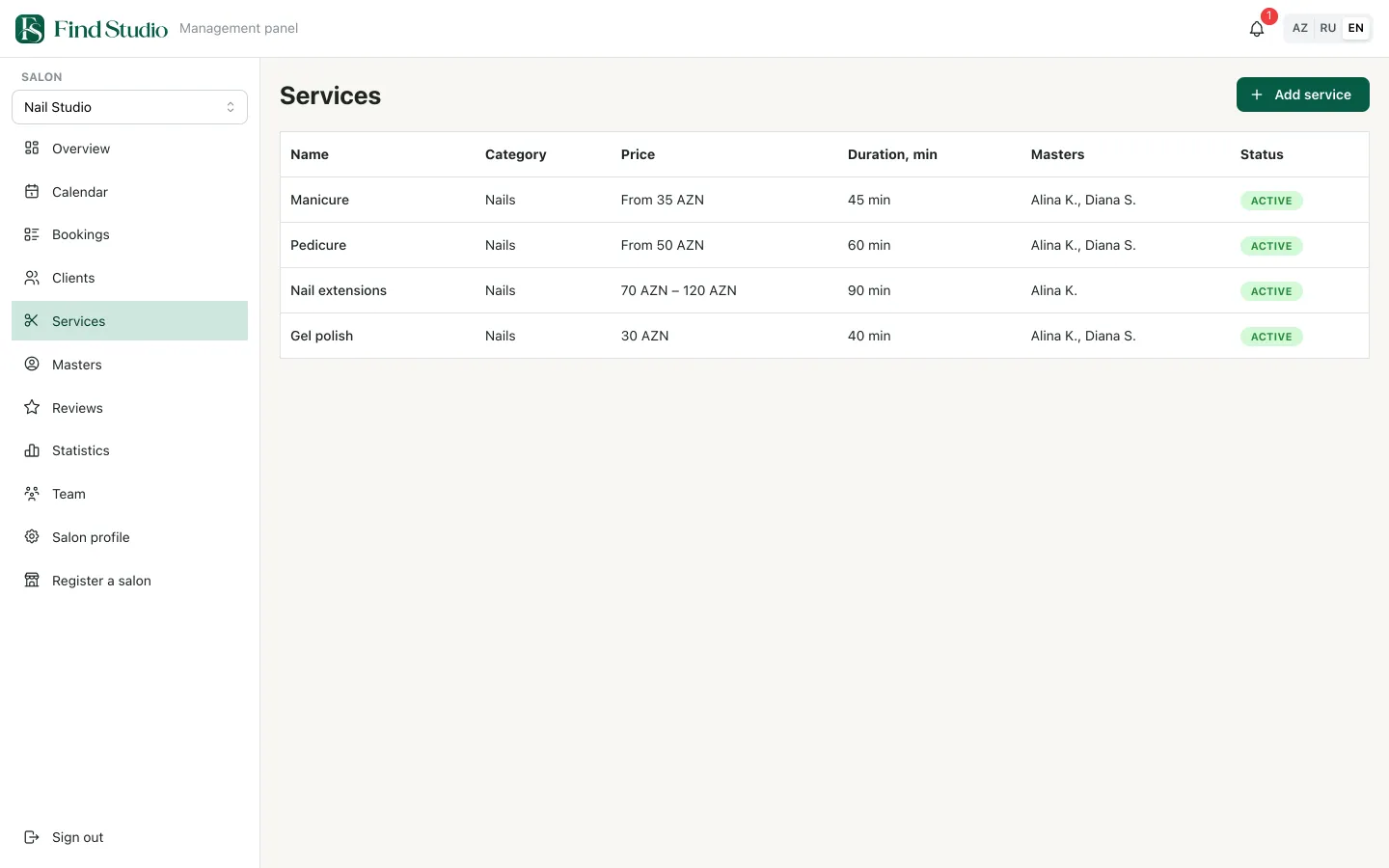
Services, prices and schedules
Price, duration and which masters do each service. You change working hours, cancellation rules and salon photos yourself.
- Fixed price, “from” price or a range
- Categories: nails, hair, makeup and more
-
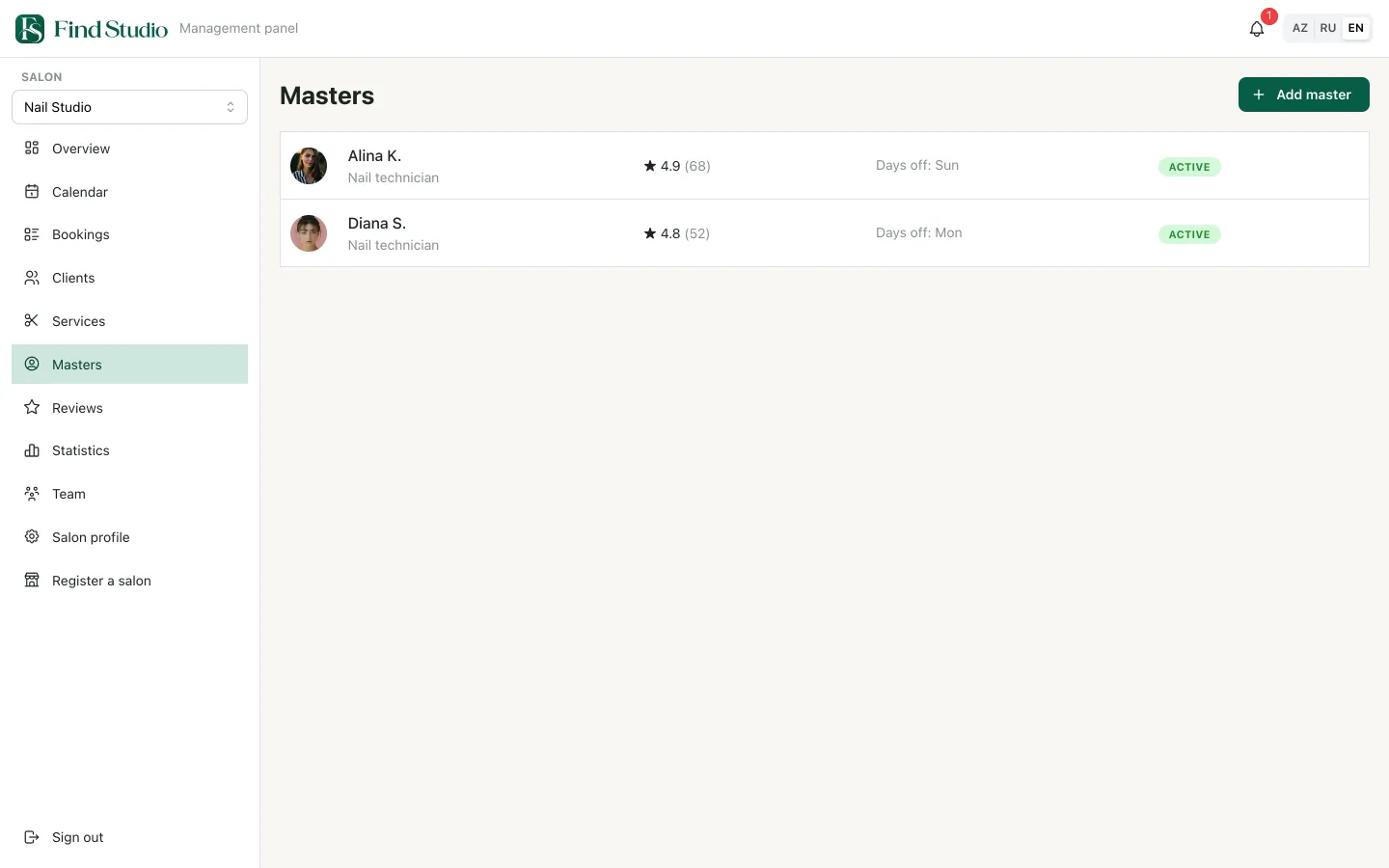
Masters
Master profiles: rating, work photos, days off and the services each one does.
- Rating and review count for every master
- Days off shown right in the list
-
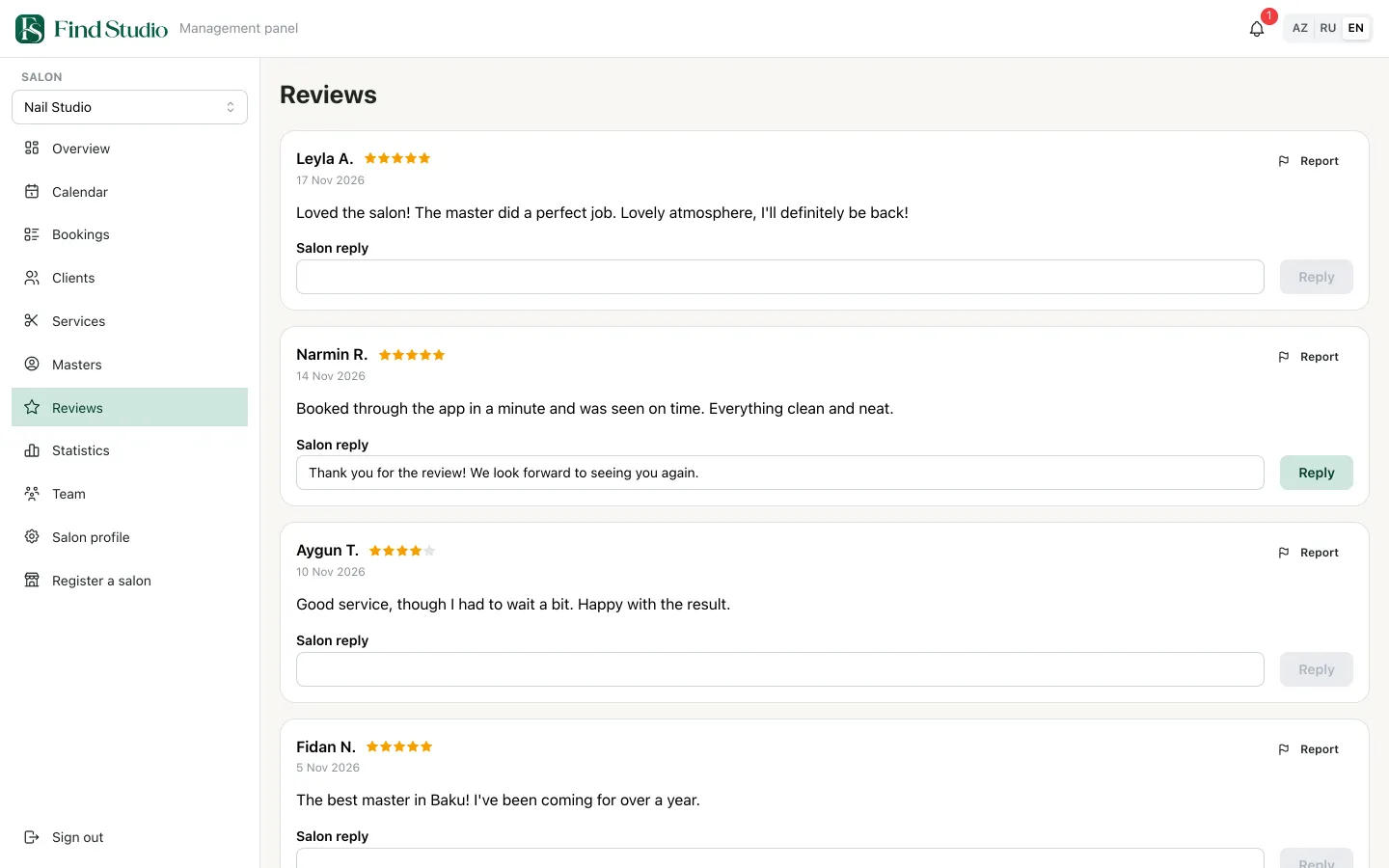
Reviews
Only clients who actually visited can leave a review. Reply from the dashboard and report unfair ones.
- The salon’s reply right under the review
- A “Report” button for unfair reviews
On any screen
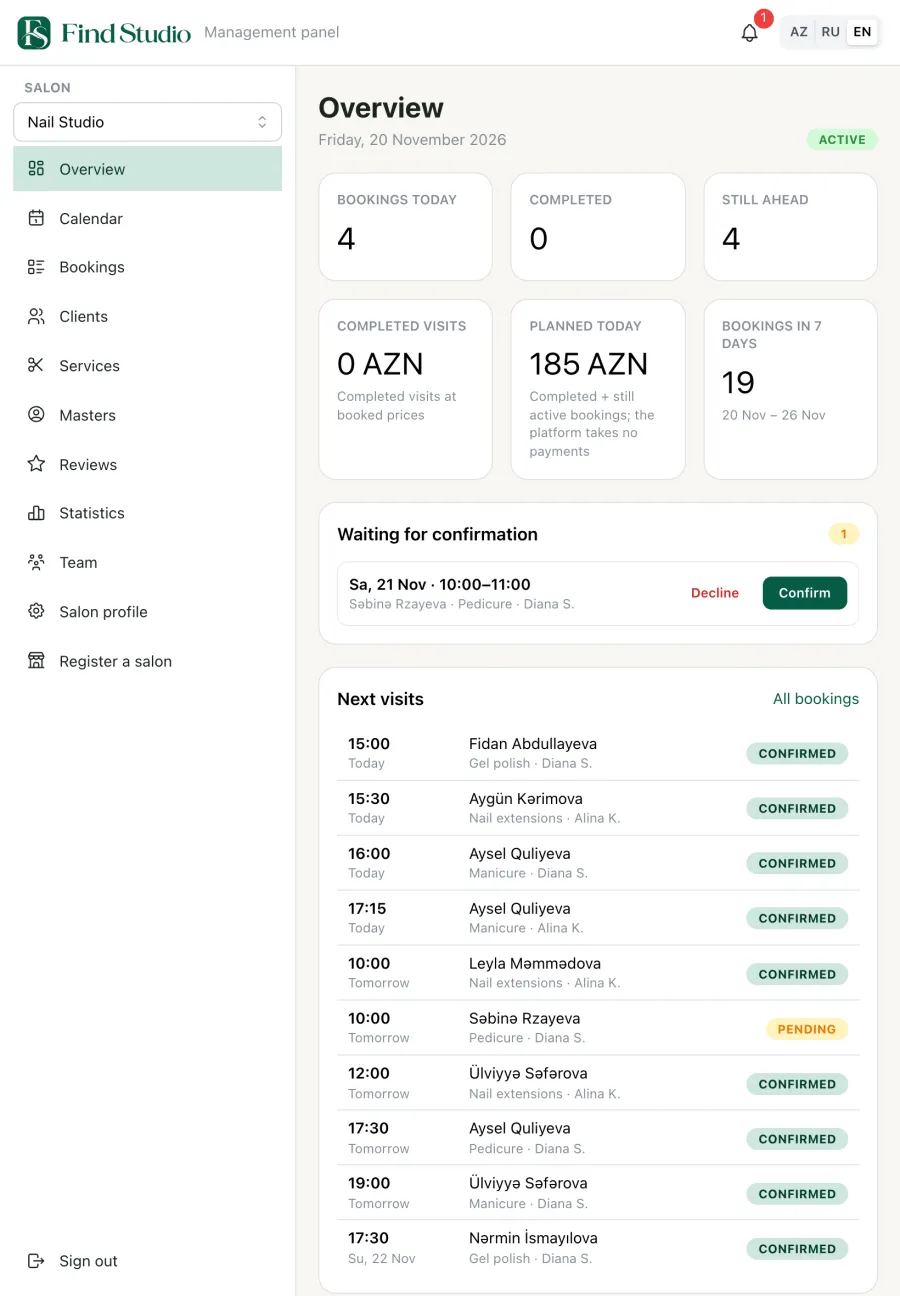
Computer, tablet, phone - the same data
The dashboard adapts to a tablet, and the Find Studio app has a separate mode for salons. Confirm a booking on your phone and it is already confirmed in the dashboard.
- Dashboard
- Your salon on your phone
Your salon on your phone
Your whole salon on your phone
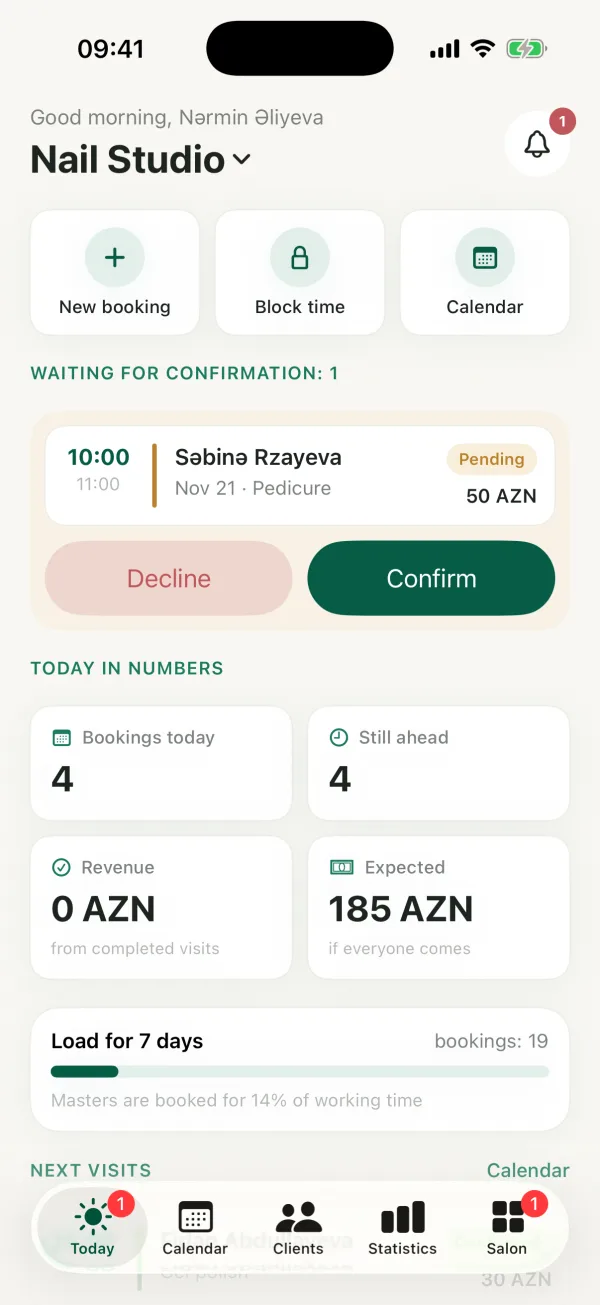
The Find Studio app has a separate interface for salons. Choose “I represent a salon” when you sign in and manage bookings even when you are away from the computer.
-
Today
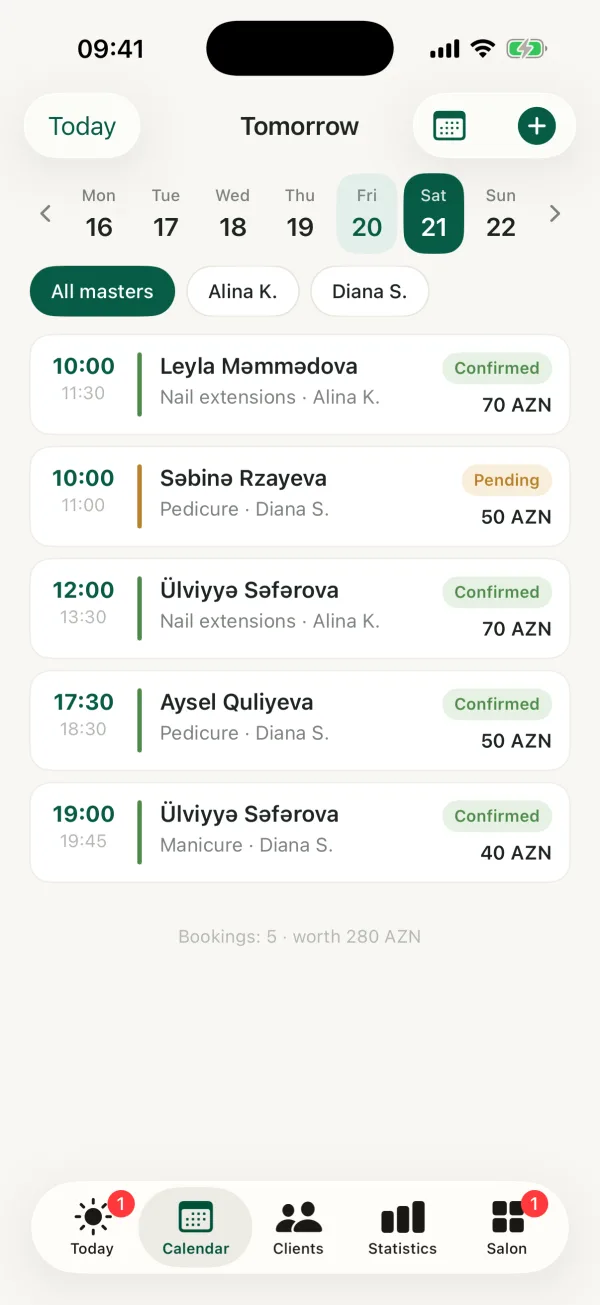
Confirm requests with one tap. Bookings, the day's revenue and how busy masters are this week.
- Quick actions: new booking, block time, calendar
- Expected revenue for the day if everyone comes
-
Calendar
Days by master, new bookings in real free slots, and blocking time for lunch or a day off.
- The week on top, filter by master
- Day total: number of bookings and amount
-
Booking card
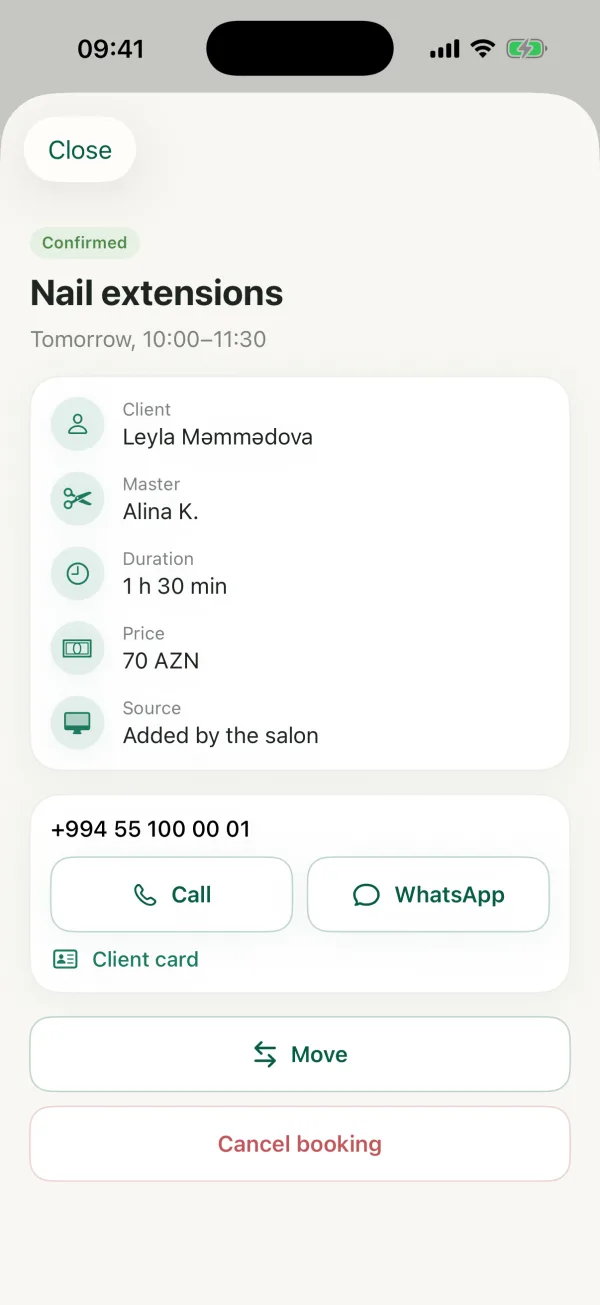
Call the client or message them on WhatsApp, reschedule, mark the visit as done or as a no-show.
- Client, master, duration, price and booking source
- One tap to the client card
-
Client card
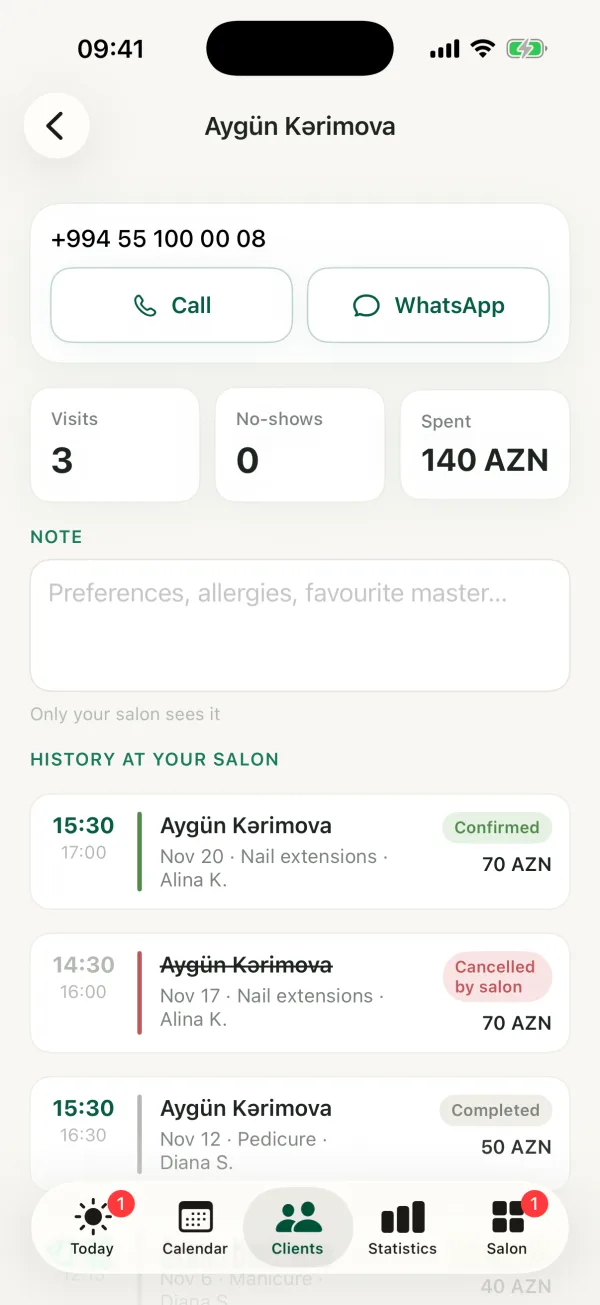
Phone, visits, no-shows and total spend. Only your salon sees the note.
- Visit history at your salon
- Call or WhatsApp in one tap
The app is coming soon to the App Store and Google Play. The browser dashboard works today.
For clients
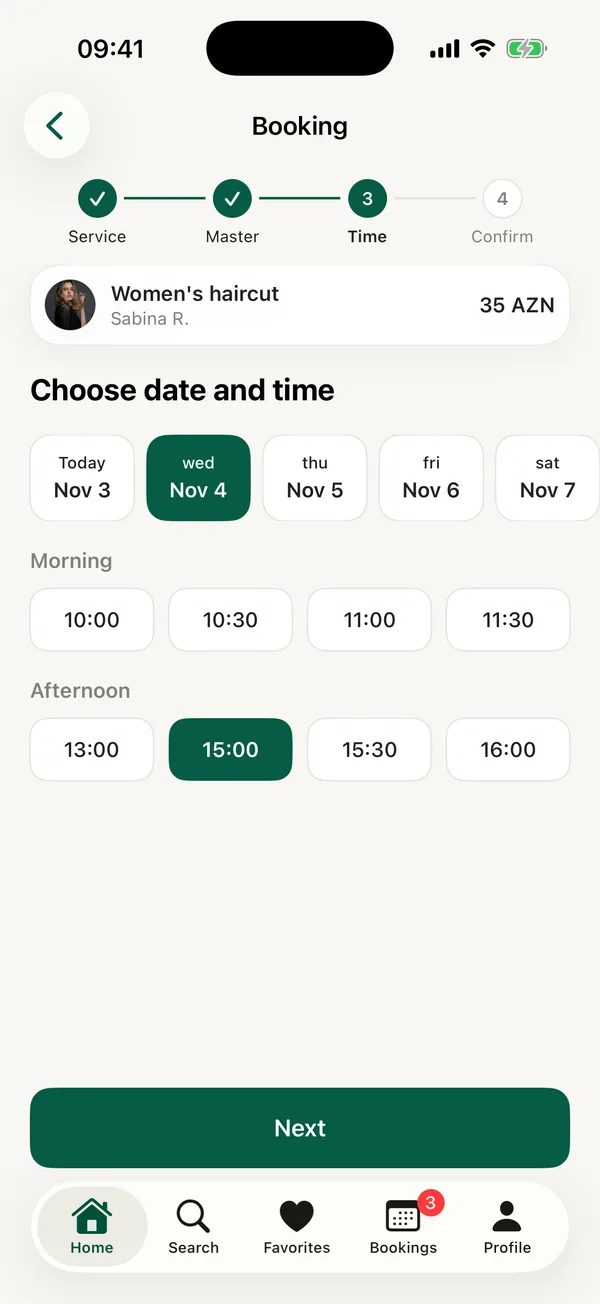
Your salon's shop window on the client's phone
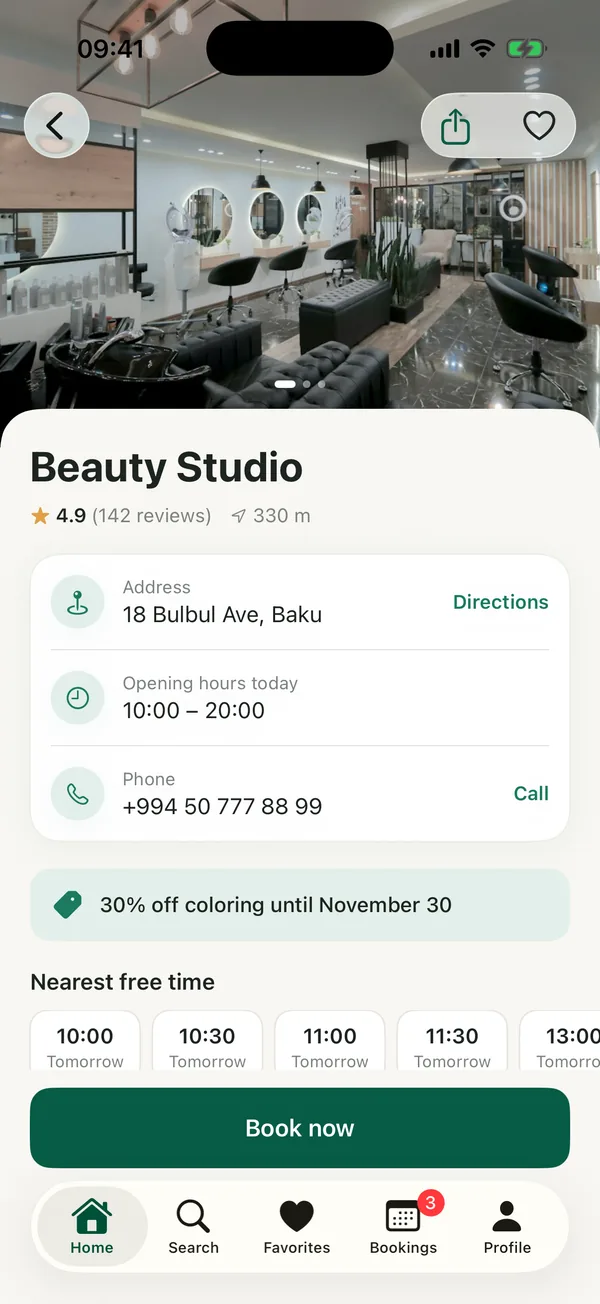
Clients see everything they need to decide, and book without leaving the app.
- The essentials up front: address, hours, phone and free time
- Services and prices, with how long each takes
- Rating and reviews only from people who visited
- Masters: rating, experience and photos of their work
- Your offers in the banner on the app's home screen
Team
Everyone sees their own
Add staff and give them roles. Each person signs in to the dashboard with their phone number and an SMS code.
Visible only to your staff. Notes about clients are never shown to clients or to other salons.
| Owner and manager | Master | |
|---|---|---|
| Calendar | Whole salon | Own only |
| Clients | Whole salon | Own clients only |
| Services and prices | ||
| Staff and roles | ||
| Salon profile and hours |
Getting started
How to add your salon
- 1
Register
In the dashboard or in the Find Studio app. Prefer the phone? Call us and we'll help.
- 2
Fill in your profile
Services and prices, masters and their schedules, salon photos.
- 3
Start taking bookings
After a review your salon appears in the app and clients start booking.
FAQ
Frequently asked questions
How much does it cost?
Terms depend on your salon. Call us at +994 51 531 39 71 or +994 51 777 41 38 and we'll walk you through them.
Do I need to install anything?
No. The dashboard runs in the browser on a computer, tablet or phone. You can also run your salon from the Find Studio app.
What about clients who call or walk in?
The admin adds them to the same calendar: master, service, time and the client's phone. The same time can't be booked twice, neither from the app nor from the dashboard.
How does Find Studio help with no-shows?
Clients get a confirmation right after booking and a reminder before the visit. Your salon sets how late a client can cancel on their own, and you can confirm bookings manually. No-shows are shown on the client card and in the stats.
What does a master see?
Only their own calendar and their own clients' phone numbers. The owner and manager see the whole salon: clients, services, staff and stats.
Who can see salon data and client notes?
Only your staff. Notes about clients are visible only to your salon. Staff sign in with a phone number and an SMS code.
When will my salon appear in the app?
Once you've filled in your profile and it has passed review. Changes to the name, address or map location are also published after review, while services, prices and schedules you change yourself.
Which languages does Find Studio support?
The app and the dashboard are in Azerbaijani, Russian and English. You can fill in your salon's description in all three.
Next step
Add your salon to Find Studio
Register in the dashboard or call us. We'll explain how everything works and help you set up.
Or call us: +994 51 531 39 71+994 51 777 41 38